Debugging PHP application with Xdebug
You can enable Xdebug with:
export XDEBUG_ENABLED=1
docker-compose up -d
Remote host is fixed because of the subnet network from compose.
You need to configure file mapping in your IDE.
Each application should have its server configured in PhpStorm.
Each server name should follow the following pattern: docker-server-SERVICE (e.g. docker-server-databox).
Then you need to enable path mappings for the server. See the example below:
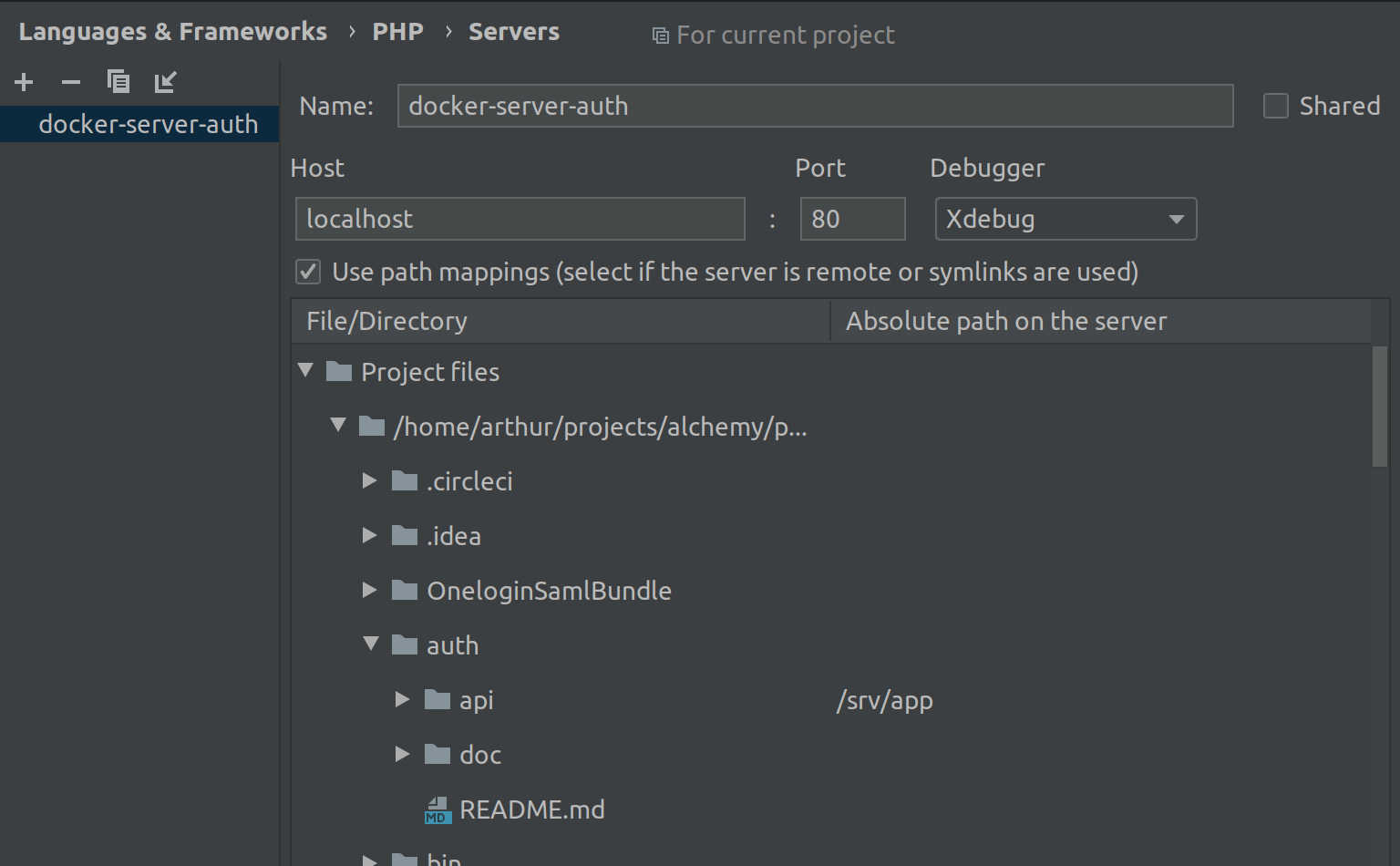
Configure the
Absolute path on the serverto/srv/appat the application project path (e.g.~/projects/phrasea/databox/apiin this case).
For the uploader application you would have:
- a server named
docker-server-uploaderin PhpStorm - set the path mapping:
~/projects/phrasea/uploader/api->/srv/app
Debugging commands
Ensure you have a server configured and named docker-server-cli in PhpStorm.
Absolute path on the server should be set to /var/workspace/phrasea` for the project path.
XDEBUG_ENABLED=1 dc run --rm dev
cd databox/api
export XDEBUG_SESSION="phpstorm"
sf app:command